Play Casper Online Free for PS1/Playstation.
Free Retro Games Experiences like Casper for Sony PlayStation is easy with this Retro Players Club. No more hooking, and rebooting Sony PlayStation, since you already have it. Click to Play Casper. Released on the Sony PlayStation, this retro classic from its publisher is ready the second you press start — no downloads, no setup.
🎮 USB or Bluetooth controller? Plug it in, Once Detected Click Here to Open Your Controller Options
Download our Mini App on PC/Mac for advanced & more premium functions for your games.
No controller detected yet — plug one in and press any button.
Your controller lights up here as you press buttons. Premium members can remap every action to any pad button.
⭐ Premium members can click any key below to remap the controls. Go Premium
| Action | Keyboard | Controller |
|---|---|---|
| D-Pad Up | ↑ | D-Pad up |
| D-Pad Down | ↓ | D-Pad down |
| D-Pad Left | ← | D-Pad left |
| D-Pad Right | → | D-Pad right |
| ✕ Cross | X | Bottom face |
| ○ Circle | Z | Right face |
| □ Square | S | Left face |
| △ Triangle | A | Top face |
| L1 | Q | Left shoulder |
| R1 | E | Right shoulder |
| L2 | Tab | Left trigger |
| R2 | R | Right trigger |
| Start | Enter | Start |
| Select | V | Select |
| Left Stick Up | T | Analog up |
| Left Stick Down | G | Analog down |
| Left Stick Left | F | Analog left |
| Left Stick Right | H | Analog right |
| L3 (stick press) | — | Stick press |
| Right Stick Up | I | Right stick |
| Right Stick Down | K | Right stick |
| Right Stick Left | J | Right stick |
| Right Stick Right | L | Right stick |
| R3 (stick press) | — | Stick press |
Report this game not working
First registered run claims the top spot. It won't stay easy for long.
Playing counts once you're signed in — register free in the player above.
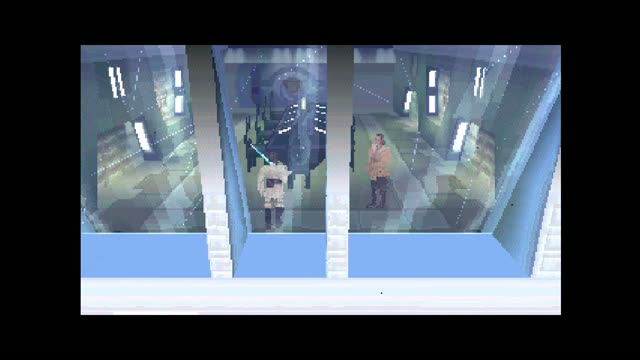
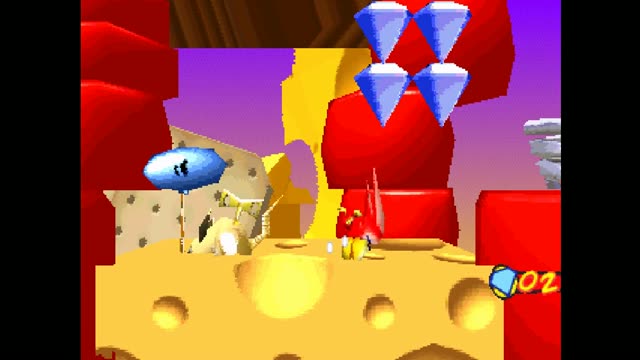

There was also a Game Boy game developed by Bonsai. A PC game, Casper: The Interactive Adventure, and a Game Boy Advance game, simply titled Casper, were released in 1997 and 2002 respectively serving as sequels.
The Story Behind Casper
Harvey, then finding the pieces for the Lazarus machine (which the Ghostly Trio had disassembled to prevent Casper from using it) and assembling it, and finally finding the Cellular Integrator with which to restore Harvey (which is stolen by Carrigan, leading to the final challenge), while exploring the mansion, collecting jigsaw pieces to solve puzzles for morph icons, eating food for morph points and dealing with the Ghostly Trio. Harvey and throw him off course and Casper must deflect their attacks. The main goal of these games are to make it to the end with as much ooze as possible (ooze being fuel for the Lazarus and is much like points).
Saving the game is performed by finding mechanical contraptions and activating them. The game features an alternate rendition of the film's plot (with some of its dark elements retained) spread across three acts, consisting of Casper finding tokens of friendship for Kat and Dr. Silicon Graphics workstations using Alias software were used to generate the character graphics and backgrounds in the Saturn/PlayStation/3DO game.
How Casper Plays
During the course of the game, Kat collects items, therefore making this game an adventure game as opposed to an action game. The old Schoolmistress of the manor has them call in Dr. The game follows loosely the plot of the film.
The Cellular Integrator also only appears in one of the mini-games. Harvey, then finding the pieces for the Lazarus machine (which the Ghostly Trio had disassembled to prevent Casper from using it) and assembling it, and finally finding the Cellular Integrator with which to restore Harvey (which is stolen by Carrigan, leading to the final challenge), while exploring the mansion, collecting jigsaw pieces to solve puzzles for morph icons, eating food for morph points and dealing with the Ghostly Trio. Getting hit by an enemy results in a game over.
Why Players Still Load It Up
Unlike other versions, other than the Ghostly Trio and Carrigan, there are no enemies. The player must use various items to travel around Whipstaff to find traces of Casper's friends and take pictures of them for hints and collect items while defending against attacks by the Ghostly Trio who are on Carrigan's side. The Ghostly Trio show up in each level occasionally to scare Dr.
After combing through the games information, it seems there truly is no extra red door or room in which to use it. While also agreeing that some of the puzzles don't make sense, he felt the game was generally easy enough for its young target audience, and concluded it to be a solid though not amazing game. The game's written dialogue notably features usage of the typeface used for The Nightmare Before Christmas.
Casper — Frequently Asked Questions
Can I save my progress in Casper?
Yes. Create a free account and the player unlocks save states — snapshot your progress at any moment and resume later on any device.
How many players does Casper support?
This browser version of Casper handles 1 player(s).
Can I play Casper online for free?
Yes — Casper runs directly in your browser on this page. There is nothing to download or install; the game boots in the player above.
Do I need a controller to play Casper?
A gamepad is optional. The keyboard mapping shown on this page works immediately, and plugging in a USB or Bluetooth controller switches the player over on its own.
This Game is Also Known As: “casper game”, “casper online free”, “casper online”, “casper game online”, “play casper online”