Play Donkey Kong Country 3 HD Edition Online Free for New Upgraded Retro Games.
Donkey Kong Country 3 HD Edition is the fan-made native rebuild of Rare’s 1996 SNES adventure: the whole game running as a PC program with 4:3, 16:10, 16:9 and 21:9 views, nearest, bilinear and reconstruction scaling, CRT, composite and Trinitron screen looks, and quick save and load. It plays on your desktop through the free RetroPlayers.Club Mini App, fused with the Donkey Kong Country 3 you already know from this site.
Donkey Kong Country 3 HD Edition
Play this Game The Right Way Now -> Download Our Mini App & Start PlayingThe RetroPlayers.Club Player is a Premium perk. Go Premium or sign in to play Donkey Kong Country 3 HD Edition at full speed on your own PC.
Donkey Kong Country 3 HD Edition can be relived on your own PC through the free RetroPlayers.Club Player app — full speed, with a controller and saves just like your hardware. You confirm you own the game from your library, and no need to connect your console.
🎮 USB or Bluetooth controller? Plug it in, Once Detected Click Here to Open Your Controller Options
| Action | Keyboard | Controller |
|---|---|---|
| Keyboard works out of the box; any USB or Bluetooth gamepad is detected automatically. | ||
🎮 PC controls
These are the keys the RetroPlayers.Club Player app uses for PC, shown for reference. Your controller still lights up below so you can confirm it is detected — Premium members can remap here (keyboard or USB controller) and the app applies the map at the next launch.
No controller detected yet — plug one in and press any button.
Press buttons — your controller lights up here so you can see it is detected. Go Premium to save a custom map.
| Action | Keyboard | Controller |
|---|---|---|
| Up / Climb | ArrowUp | D-Pad up |
| Down / Crouch | ArrowDown | D-Pad down |
| Left | ArrowLeft | D-Pad left |
| Right | ArrowRight | D-Pad right |
| Team-Up / Pick Up | X | Right face |
| Jump | Z | Bottom face |
| Select Kong | S | Top face |
| Run / Roll / Throw | A | Left face |
| L | Q | Left shoulder |
| R | W | Right shoulder |
| Start / Pause | Enter | Start |
| Select / Swap Kong | Backspace | Select |
Report this game not working
First registered run claims the top spot. It won't stay easy for long.
Playing counts once you're signed in — register free in the player above.
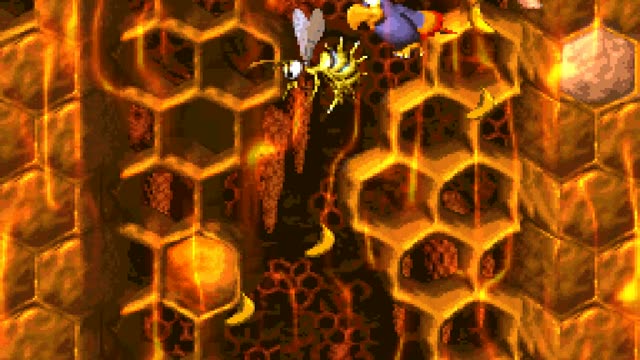
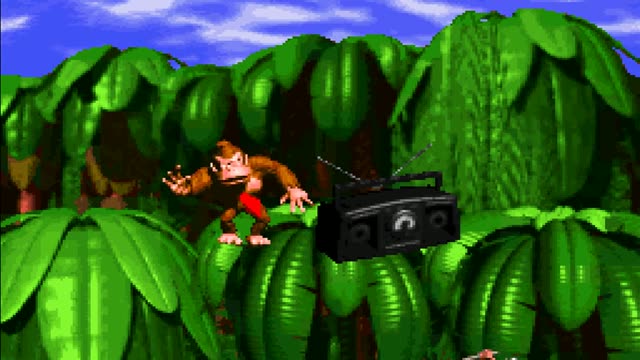
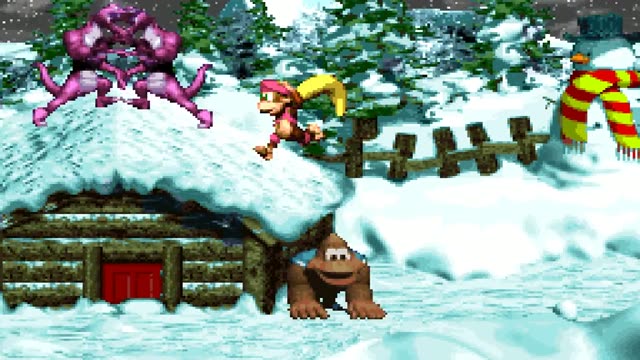
How to Play Donkey Kong Country 3 HD Edition
How to Play
Donkey Kong Country 3 HD Edition runs natively on Windows, so it plays through the free RetroPlayers.Club Mini App on your desktop. Click Play on this page and the Mini App downloads the rebuild (about 8 MB with the game data), sets it up and starts it for you.
On the keyboard, the arrow keys move, Z jumps, A runs, rolls and throws, X teams up, S selects a Kong, Q and W are the shoulder buttons, Enter is Start and Backspace is Select. A USB controller plays too: the d-pad or left stick moves and the four face buttons are the SNES diamond. Premium members can set their own keys and controller buttons in the Visual Controller Mapper on this page.
About Donkey Kong Country 3 HD Edition
This is Donkey Kong Country 3: Dixie Kong’s Double Trouble! translated from the original SNES program into native PC code by the DKC3Recomp project, built the same way as the DKC2 rebuild. The Northern Kremisphere, Dixie and Kiddy’s moves, the music and the physics are the 1996 game’s own; what the rebuild adds is the presentation. The View menu switches between 4:3, 16:10, 16:9 and 21:9, between nearest, bilinear and reconstruction scaling with five reconstruction modes, between level-edge policies, and between Raw, CRT, Composite and Trinitron screen models; the Game menu holds Pause / Settings, Quick Save and Quick Load.
What is new
The settings panel carries reconstruction strength, softness and shading, audio options, a Controls tab and Assist Tools, and the choices persist between launches. Full Screen is a menu item or Escape, and the game stays sharp on high-DPI displays. The project notes that a full-game run through and physical controllers have not yet been verified for this Windows build, so expect an alpha.
Credits
DKC3Recomp is made by Elliott Tate and contributors on mstan’s snesrecomp framework; this is release v0.0.6. It is a community project and not affiliated with Nintendo or Rare. Donkey Kong Country is a trademark of Nintendo.
Donkey Kong Country 3 HD Edition — Frequently Asked Questions
What is Donkey Kong Country 3 HD Edition?
A fan-made native PC rebuild of the 1996 SNES game Donkey Kong Country 3: Dixie Kong's Double Trouble! by the DKC3Recomp project, with widescreen views, CRT screen looks and quick save and load.
Is this an official Nintendo release?
No. It is a community project built from the original game program; Donkey Kong Country is a trademark of Nintendo and the game was made by Rare.
How big is the download?
About 8 MB including the game data; about 21 MB once set up on your PC. The Mini App keeps it installed between plays.
Can I play with a controller?
Yes. A USB controller drives player one, and Premium members can set their own layout in the Visual Controller Mapper on this page; the Mini App uses it the next time the game starts.
Is the whole game playable?
The project calls this Windows build an alpha and says a full run through has not yet been verified; the levels, saves and settings are in place, so report anything that misbehaves.
This Game is Also Known As: “donkey kong country 3 hd edition game”, “donkey kong country 3 hd edition online”, “play donkey kong country 3 hd edition free”, “donkey kong country 3 hd edition tournament”, “donkey kong country 3 hd edition play online”